
Vidius-Stunning Frames
Edgar KwenaEntertainment
3.9235.00 Reviews
- Version
- 1.0.1
- Installs
- 500.00K
- Age Rating
- Everyone
Screenshots




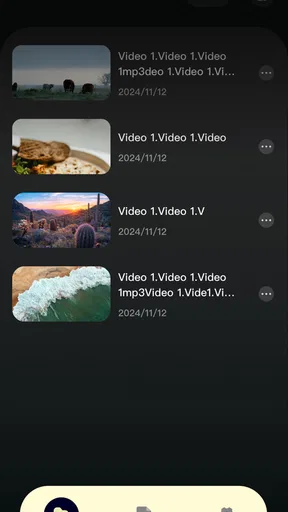
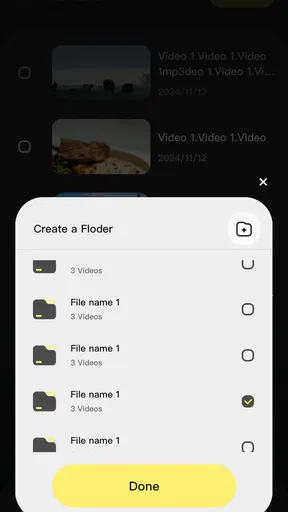
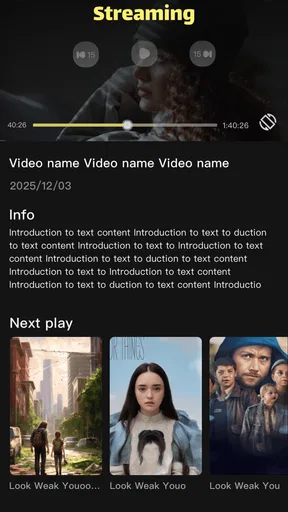
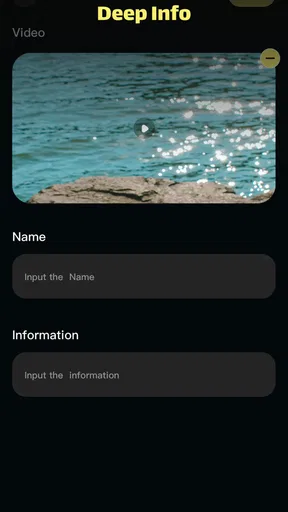
Our Review of Vidius-Stunning Frames
 Analysis by Appyee
Vidius-Stunning Frames is an entertainment app from Edgar Kwena that immediately makes a simple promise feel appealing: help me get more from the video I already watch. I spent time looking at it as a daily viewing companion rather than treating it like a novelty to open once and forget. That distinction matters, because visual polish is easy to appreciate during the first session, while lasting value depends on whether the app fits naturally into an existing routine.
The app is free, carries an Everyone age rating, and has reached over 500 thousand installs. Its average score sits at 3.9 from around 1.6 thousand ratings, which suggests a generally positive but not universally effortless experience. I found that assessment fair. Vidius can make viewing feel more deliberate, especially when I want a cleaner, more impressive presentation, but it is not automatically the best choice for every screen, video, or viewer.
From an impressive first week to a useful routine
During the first week, the appeal is easy to understand. Vidius positions itself around Ultra HD quality and a better viewing experience, so the natural temptation is to test it with the most visually rich content available. I noticed that the biggest difference was not simply whether an image looked sharper. The more important question was whether the presentation felt comfortable and consistent enough to keep watching.
That is where I think new users should begin: not with a long binge, but with several types of content. Try a bright scene, a darker scene, fast movement, and something mostly made up of faces or text. This gives a more realistic sense of whether the app improves your personal viewing habits instead of merely producing a strong first impression on one attractive clip.
The name Vidius-Stunning Frames communicates the visual focus clearly, but I would not treat the app as a magic upgrade for every source. The quality of the original video, the display you are using, and your own sensitivity to image changes all affect the result. If the source is already compressed or low quality, pushing for a more polished appearance may not create detail that was never captured in the first place.
My first-week recommendation is to compare the same short section with and without the app, rather than relying on memory. Pause on a scene with fine detail, then watch a moving section at normal speed. This small habit prevents the common mistake of judging a viewing tool only from a still frame. A picture can look impressive when paused and still feel tiring during a full episode.
Vidius is also more appealing for people who care about presentation than for viewers who simply want the fastest path from opening an app to pressing play. If you enjoy adjusting your viewing setup and noticing how content looks on your device, the experimentation itself can be part of the entertainment. If you prefer invisible technology that never asks for attention, the initial appeal may fade sooner.
Who is most likely to enjoy it?
I see the strongest fit for people who watch entertainment on a regular basis and want to make their existing screen time feel a little more refined. It can also suit someone who has recently changed devices and wants to explore how different content appears on the new display. The free price makes that trial easier, since there is no purchase decision standing between curiosity and actual use.
It is less convincing for someone who already has a viewing setup they consider perfectly balanced and does not want to make comparisons. It is also a weaker match for viewers who mainly consume short, casual clips and rarely watch long-form content. In that situation, the effort of evaluating the visual difference may be greater than the benefit.
One practical scenario shows the difference. Imagine I finish work, put on a familiar film, and want a more focused evening rather than scrolling through several services. I can use Vidius as part of that setup, compare a few scenes at the beginning, and then leave the adjustments alone. If the presentation feels comfortable, the app earns a place in that routine. If I keep stopping to question every change, it has become a distraction rather than an improvement.
What changes after the novelty wears off?
After the first week, the question changes from “Can I see a difference?” to “Do I still want this involved every time I watch?” That is the real test. A visual enhancement can be satisfying at first because I am actively looking for it. A month later, its value is quieter: I should be able to start watching without repeatedly managing the experience.
In my view, Vidius has recurring value when it becomes a preparation step rather than the main event. I would use it before a planned viewing session, especially when the display and content deserve attention. I would not necessarily open it for every quick clip, because the benefit of an improved presentation is proportional to how much time I intend to spend watching.
The most useful long-term workflow is simple. First, choose the type of content I am about to watch. Next, check the picture on a representative scene instead of the opening frame alone. Then I leave the setup unchanged unless the content genuinely calls for another approach. This avoids endless tweaking and makes the app feel like part of viewing rather than a separate hobby.
That workflow also reveals an important trade-off. More visible processing is not always more enjoyable. A stronger effect may make certain scenes appear more dramatic, but a restrained presentation can be easier to live with across different programs. I would judge the app by consistency over a full evening, not by the most striking moment it can produce.
Compared with using the default video player, Vidius has a clear reason to exist: it encourages me to think about image presentation rather than accepting the first available setting. The default option still wins for simplicity, speed, and predictability. Compared with a dedicated player that offers many technical controls, Vidius is more approachable if I want a focused entertainment tool rather than a detailed laboratory for video settings.
That comparison helps define its place. Vidius is not automatically a replacement for every player. It is better understood as an option for viewers who want a more considered visual experience without turning their phone or tablet into a complicated project. If precise control over formats, playback behavior, or advanced technical settings is my priority, a specialist player may be a better fit.
The small maintenance cost that becomes noticeable
Every app that changes the way I watch introduces some maintenance, even when that maintenance is not dramatic. I have to remember which viewing setup feels best, notice when the result is not comfortable, and decide whether the issue comes from Vidius, the source video, or the device itself. That mental overhead is small in one session but can become irritating when repeated.
My advice is to establish a personal baseline early. Pick one familiar video and use it as a reference when evaluating the app. Do not keep changing several things at once, because then I cannot tell which adjustment helped. Once the presentation feels good, stop experimenting for a while. The best long-term setup is usually the one I can repeat without having to rediscover it.
Users should also keep their expectations realistic when moving between different content sources. A setting that looks comfortable on an animated scene may feel too intense on a natural conversation, while a dark film can expose weaknesses that are not obvious in bright content. This is not a reason to reject Vidius; it is a reason to avoid treating one successful test as proof that every viewing situation will respond identically.
The current version is 1.0.1, and the app supports devices running Android 7.0 or later. That makes it accessible to a broad range of Android users, including people who are not using the newest hardware. At the same time, older devices may not deliver the same experience as newer displays, so I would evaluate comfort and smoothness on the device I actually use rather than assuming the app’s promise will look identical everywhere.
Because Vidius is free, the maintenance question is mainly about time and attention rather than subscription management. That is a genuine advantage. I can test it, keep it if it improves my routine, and remove it if it becomes unnecessary without having to justify an ongoing cost. The downside is that free tools still need to earn their place through convenience; a no-cost app that complicates every viewing session is not truly frictionless.
Where viewing fatigue can begin
The main source of fatigue is the tendency to chase a more impressive image. Once I notice a visual difference, I may start searching for an even better one. That can turn a relaxing evening into repeated comparisons, pauses, and adjustments. Vidius is most successful when it helps me settle into content, not when it encourages me to inspect every frame.
Another possible fatigue point is inconsistency between programs. Entertainment is not visually uniform, and an approach that suits one source may make another feel less natural. I would be especially cautious about judging the app after only a highly polished trailer or a short demonstration. Longer viewing exposes whether the presentation remains comfortable when the novelty has disappeared.
There is also a personal factor. Some viewers enjoy a bold, vivid look, while others prefer a softer and more neutral image. Neither preference is wrong. If I find myself concentrating on the effect instead of the story, I would switch back to the usual player for that session. A tool designed to improve immersion should not compete with the content for my attention.
For everyday use, I would avoid making Vidius part of every single viewing habit immediately. A better approach is to reserve it for longer sessions, visually important content, or moments when I specifically want to improve the presentation. This creates a useful comparison with the default experience and makes it easier to notice whether the app continues to provide value.
People who watch mostly in brief bursts may reasonably decide that the default player is better. The same is true for anyone who values minimal steps above visual experimentation. Vidius asks for a little judgement from the user, and that is its strength for curious viewers but its weakness for people who want everything to happen automatically.
Does it deserve a lasting place?
My long-term verdict is cautiously positive. Vidius earns space when I treat it as a viewing aid with a specific purpose, not as a permanent guarantee that every video will suddenly look exceptional. Its free access, broad Android compatibility, and focused entertainment role make it easy to try. Its lasting value depends on whether the visual improvement remains comfortable and whether the setup can become repeatable.
I would recommend it to a friend who enjoys comparing displays, watches longer-form entertainment, and wants to explore a more polished presentation without paying for the experiment. I would also recommend starting slowly: test familiar material, compare moving scenes, and decide based on an entire viewing session. That approach gives a more honest answer than judging the app from a single impressive frame.
I would skip it if I already have a player and display combination that feels effortless, or if I dislike stopping to evaluate visual settings. I would also choose a more specialized alternative when my priorities involve deep playback controls rather than a straightforward entertainment experience. Vidius has a narrower purpose, and it is better when judged on that purpose instead of being expected to replace every tool.
Edgar Kwena’s app is at its best when it quietly improves a planned viewing habit. The first-week appeal comes from seeing what a more deliberate presentation can do; the month-to-month value comes from using that presentation selectively. Once I stop chasing novelty and focus on comfort, Vidius becomes easier to judge. For me, that is the deciding point: it can stay installed, but only if it remains a calm part of watching rather than another thing I have to manage.
My recommendation: try Vidius with a familiar video, give it a full evening rather than a quick glance, and keep it only if the improvement still matters after the excitement of the first test has faded.
Verdict
Strengths of Vidius-Stunning Frames
- Quickly creates polished video frames for social media posts.
- Offers stylish templates that give clips a professional appearance.
- Simple controls make basic editing accessible to beginners.
- Useful for highlighting products, events, or personal memories.
- Exports finished designs conveniently for sharing online.
Limitations of Vidius-Stunning Frames
- Template variety may feel limited without premium access.
- Some designs can look repetitive across multiple projects.
- High-resolution exports may require more storage space.
- Advanced video editing tools are not the app’s main focus.
- Performance may slow when working with longer or larger clips.
Similar Picks in This Category
View All
Google Play Games
Google LLC3.9

Netflix
Netflix, Inc.4.8

YouTube Kids
Google LLC4.2

Disney+
Disney4.4

Prime Video
Amazon Mobile LLC4.7

Steam
Valve Corporation3.2
Frequently Asked Questions
What is Vidius-Stunning Frames, and what can I use it for?
Vidius-Stunning Frames is a creative photo-editing application designed to enhance images with decorative frames and visual presentation effects. It can be useful for preparing social media posts, greeting cards, invitations, profile pictures, or personal photo collections. Before downloading, users should understand that the available tools, frame styles, editing controls, and export options may vary depending on the app version and device.
Is Vidius-Stunning Frames free to download and use?
The application may be available to download at no initial cost, but some features can potentially be limited by advertisements, in-app purchases, premium frame collections, or other restrictions. It is worth checking the store listing carefully before installing, especially the pricing information and subscription details. Users should also review whether exported images include branding or require payment for access to higher-resolution results.
Does Vidius-Stunning Frames work on both Android and iOS devices?
Compatibility depends on the version released for each platform and the requirements listed in the official app store. Before downloading, check whether your Android or iPhone model supports the application and whether your operating system is up to date. Older devices may experience slower performance, reduced editing responsiveness, or limited access to newer frame packs and image-processing features.
Can I save and share photos edited with Vidius-Stunning Frames?
A frame-editing application is generally intended to let users save finished images to their device and share them through services such as messaging apps or social networks. However, the exact export formats, image quality, storage permissions, and sharing options can differ between versions. After installation, review the export screen carefully to confirm whether the app adds a watermark or compresses the final image.
Does Vidius-Stunning Frames require access to my photos or personal information?
To select images for editing, Vidius-Stunning Frames may request permission to access photos, media files, or device storage. These permissions are normally necessary for importing and saving pictures, but users should grant only the access required by the app. It is also advisable to read the privacy policy and store disclosures to understand how images, usage data, advertising identifiers, and other information may be handled.
